Table of Contents
Genesys 2 Keyboard Demo
Overview
Description
The Keyboard Demo project demonstrates a simple use for the Genesys 2's USB-HID and USB-UART ports. The behavior is as follows:
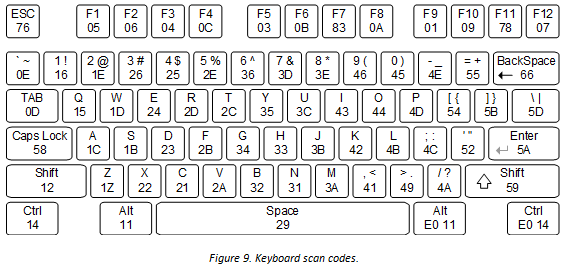
- When the user presses a key on the keyboard, a PS/2 keyboard scan code is sent to the Genesys 2 over the USB-HID port.
- Scan codes are read and transmitted to a terminal application via the USB-UART bridge.
- When the user releases a key, a scan code of F0XX is transmitted, indicating that the key with PS/2 code XX has been released.
Features Used
| Not Used | Used | |
|---|---|---|
| 8 User Switches | X | |
| 8 User LEDs | X | |
| 6 User Push Buttons | X | |
| 128×32 Monochrome OLED Display | X | |
| USB-UART Bridge | X | |
| Fully Bonded 400-pin FMC HPC Connector | X | |
| Micro SD Card Connector | X | |
| HDMI Sink and HDMI Source | X | |
| VGA Connector | X | |
| Two four-lane DisplayPort Connectors | X | |
| Audio Codec w/ Four 3.5mm Jacks | X | |
| 10/100/1000 Ethernet PHY | X | |
| 1GiB 1800Mt/s DDR3 Memory | X | |
| Serial Flash | X | |
| Five Pmod Ports | X | |
| Pmod for XADC Signals | X | |
| USB HID Host | X | |
| USB 2.0 Host/Device/OTG PHY | X |
——-
Prerequisites
Hardware
- Genesys2 FPGA board
- 12 Volt Power Supply
- Micro-USB Cables
- USB Keyboard
Software
- Vivado Design Suite 2016.4
- Newer versions can be used, but the procedure may vary slightly
Downloads
Genesys2 Project Repository – ZIP Archive GIT Repo
Download and Launch the Genesys 2 Keyboard Demo
1) Follow the Using Digilent Github Demo Projects Tutorial. This is an HDL design project, and as such does not support Vivado SDK, select the tutorial options appropriate for a Vivado-only design. Return to this guide when prompted to check for extra hardware requirements and setup.
2) Ensure that your board is plugged into a 12 Volt power supply, connected to your computer via two MicroUSB cables attached to the JTAG and UART ports, and connected to a USB keyboard via the uppermost of the two USB ports.
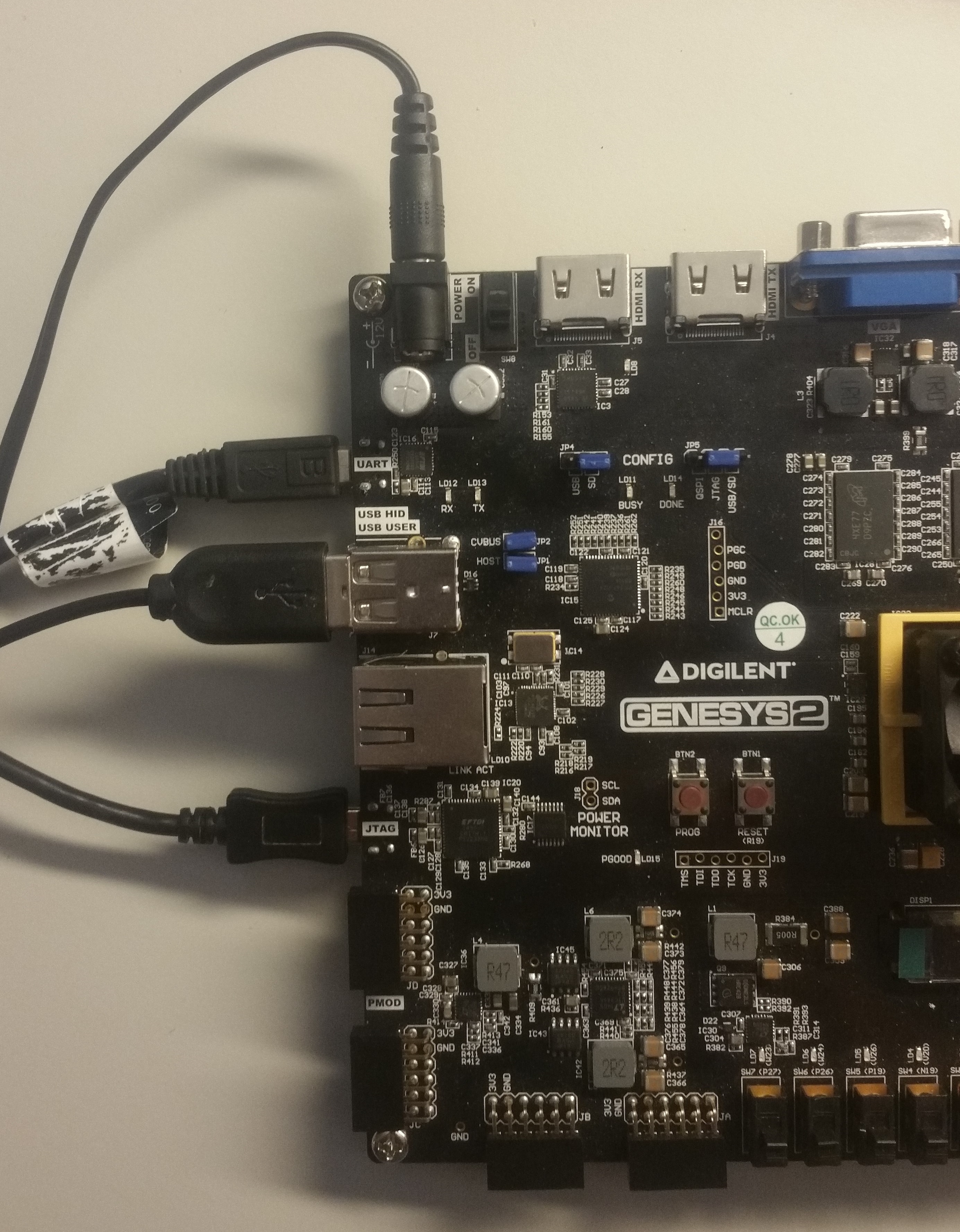
3) On your computer, you will need to connect a serial terminal to your Genesys 2. Make sure that board is turned on. Then open a serial terminal such as TeraTerm. In the terminal application, setup the serial port to connect to the appropriate port for your board with a baud rate of 9600. Then return to the Github Projects Tutorial to finish programming and running the demo.


Using the Genesys 2 Keyboard Demo
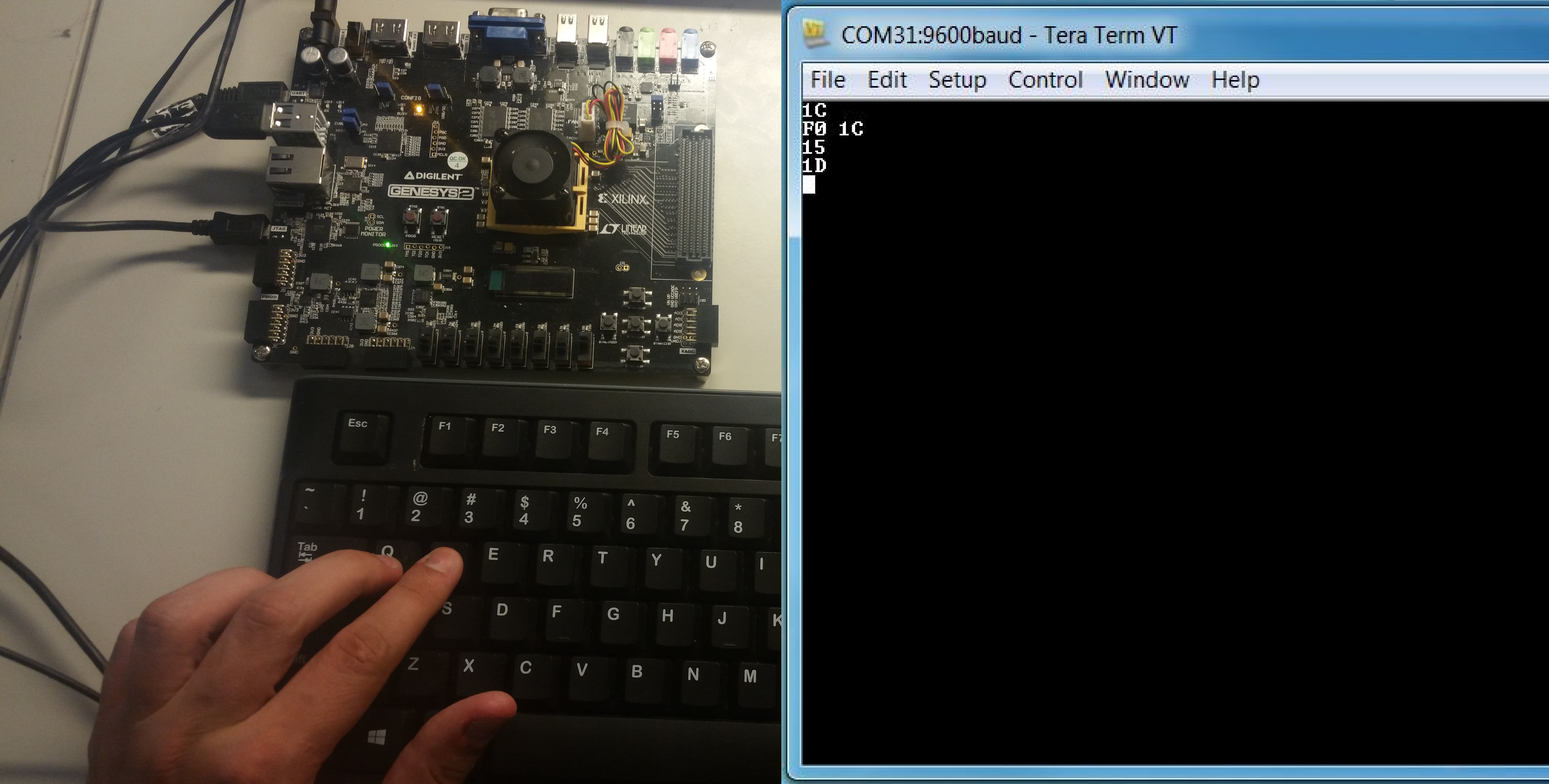
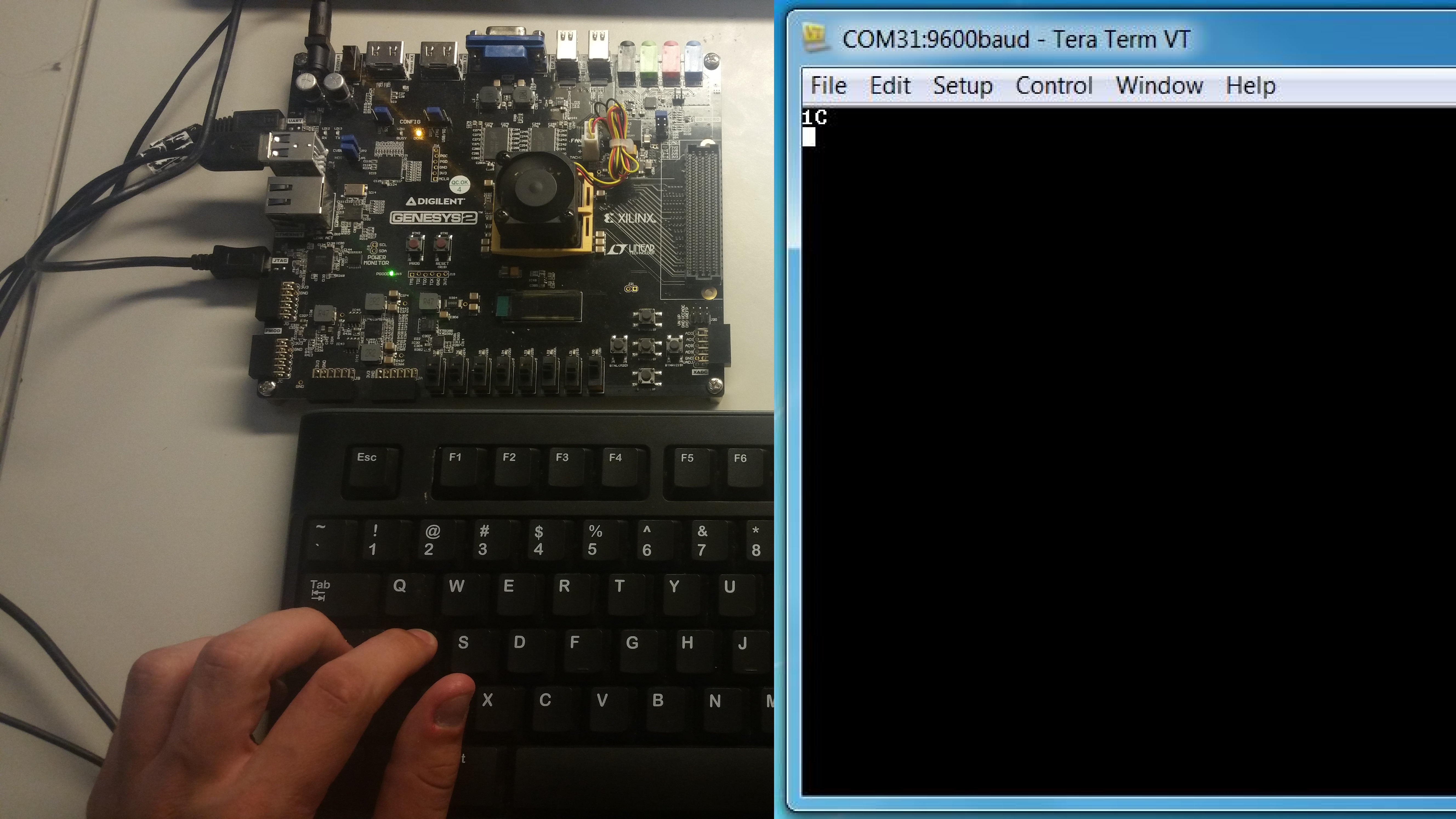
1. Key Press
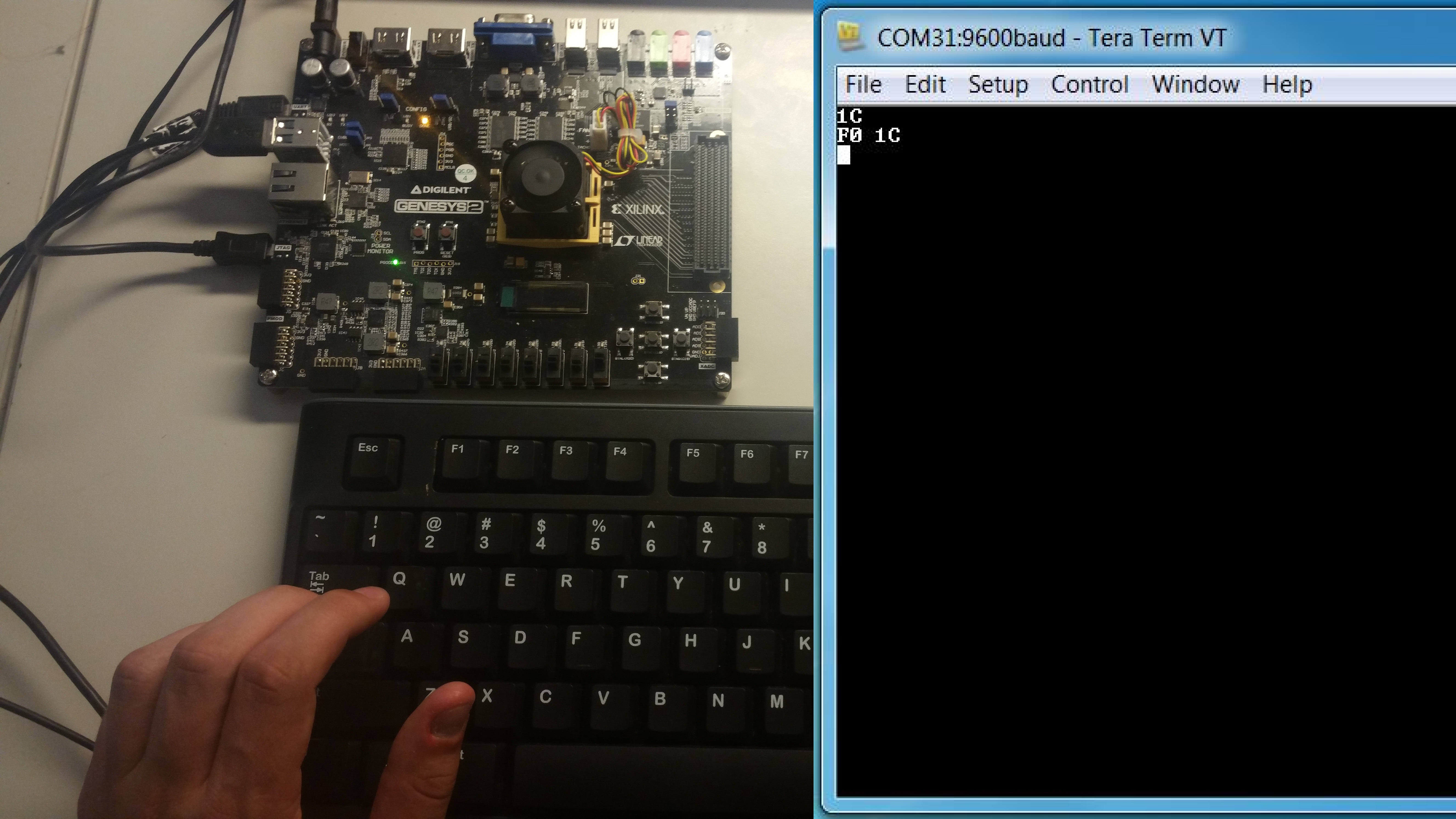
When a button is pressed, the value of the scan code will be converted to ASCII and transmitted to the terminal. In the picture, 'a' is pressed, so a scan code of “1C” is sent to the terminal.
2. Key Release
When the 'a' key is released, a scan code of “F0 1C” is sent.
3. Multiple Key Presses
When multiple keys are pressed their scan codes are sent in order. In this case, Q (“15”) was pressed, followed by W (“1D”).